Odoo 19 Workflow Automation
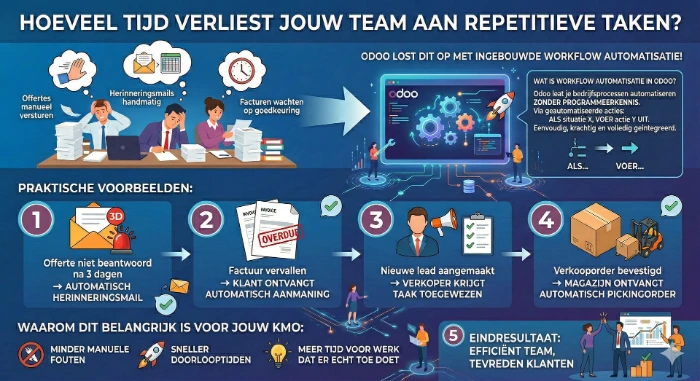
How much time does your team lose on repetitive tasks? Quotes that are manually forwarded, reminder emails that are sent manually, invoices waiting for approval... Odoo solves this with built-in workflow automation.
What is workflow automation in Odoo?
Odoo allows you to automate your business processes without programming knowledge. Through automated actions, you set: if situation X occurs, then perform action Y. Simple, powerful, and fully integrated.
Practical examples:
- Quote not answered after 3 days → automatic reminder email
- Invoice overdue → customer automatically receives a reminder
- New lead created → salesperson is assigned a task
- Sales order confirmed → warehouse automatically receives picking order
- Purchase approved → supplier automatically receives confirmation
- Support ticket opened → responsible agent is immediately notified
How do you set up automated actions in Odoo?
Go to Settings → Technical → Automated Actions. Here you define the trigger (time-based, record creation, field change), the condition, and the action (send email, create task, update field). No code required.
The business impact:
Companies using workflow automation in Odoo report an average of 30-40% less administrative overhead. Your team stops repetitive manual work and focuses on tasks that truly create value for your customers.
Why this is important for your SME:
Fewer manual errors, faster turnaround times, and more time for work that really matters. Alpha ERP configures these automations fully tailored to your processes — from a simple email reminder to complex multi-step workflows across departments.
Ready to automate your business processes?
Contact Alpha ERP for a free analysis of your current workflows. We identify which processes are ready for automation and implement them directly in your Odoo environment.